Color analysis software that runs the rest of your practice
Twelve seasons across undertone, value, and chroma for color analysts and image consultants, attached to a client record that also holds the closet, the sizes, the bookings, and the invoices. No cap on how many analyses you run, and no fee for an extra one.
7 days free, no card. On day 8 you choose a plan from $29 a month to keep running analyses. Everything you've recorded stays where it is. You can cancel from your settings whenever you like.
Most of this category charges you for a good month
The usual model meters analyses by tier and charges for each one past the allowance, so what you pay climbs with the number of clients you see. Here it doesn’t. Every plan runs as many analyses as you like.
| Analyses you run in a month | Stylement, Color Core | Hathaura, cheapest route |
|---|---|---|
| 3 | $29 | $34 on Starter |
| 8 | $29 | $69 on Stylist |
| 12 | $29 | $93, Stylist plus two extra |
| 20 | $29 | $104 on Pro |
The Hathaura column is the cheapest way to reach that volume on its own plans, moving up a tier wherever a tier beats paying per analysis. Starter includes three analyses and charges $20 for each one after that, Stylist includes ten at $12, and Pro includes twenty. Taken from Hathaura’s public pricing on September 9, 2026, where $34, $69 and $104 are its current promotional rates against $49, $99 and $149 list. Tell us if it has changed and we’ll fix it.
A report is finished the moment you send it
A branded PDF, emailed
Correct on the day you sent it. Then the wardrobe changes, you revise something, and the file in your client’s inbox no longer matches what you’d say now.
A living color page
The palette on the client record, opening in any browser under your name. You revise it and the page your client already has is right again, with nothing to resend.
What one client record holds
The analysis
Four, twelve or sixteen seasons, or sub-seasons. Twelve is the default, and the editor opens on whichever you used last.
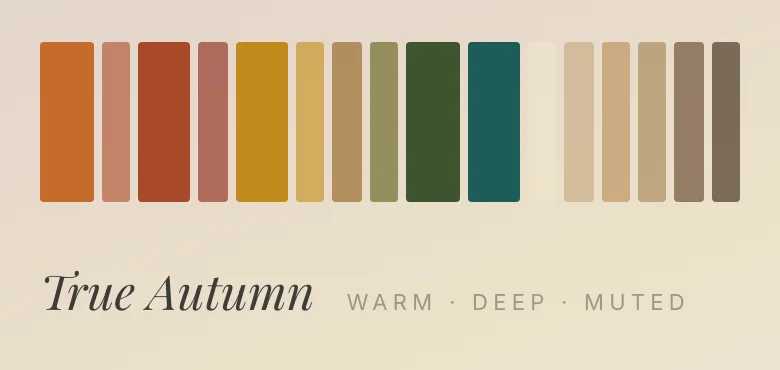
The palette, on the client record
A property of the client, which the closet then filters against, and which you can revise for as long as the client is yours.
The closet
Everything already owned, sorted by what actually suits your client. The thing a report cannot do, because a report doesn’t know the wardrobe.
The rest of the practice
The analysis is attached to a paying client, so the booking that produced it and the invoice for it live on the same record.
What paying two vendors actually costs you
- 01A palette that stops working the moment the wardrobe changes.
- 02The same client typed into a color tool and again into whatever holds the booking.
- 03A report you cannot revise without sending a second file and hoping the right one gets opened.
- 04No way to answer "what does my client own in this season" without asking.
- 05The booking in one place and the palette in another, joined only by you remembering.
- 06Two subscriptions, neither of which knows the other exists.
Your analysis, still working in six months
- Twelve seasons by default, with sixteen, four, and sub-seasons in the same editor.
- Every palette editable, and your hand-edits survive a change of season.
- The closet filtered to what suits your client, and an in-store scanner for pieces not yet bought.
- Virtual draping and a guide carrying your studio name on Color Pro, $59 a month.
- Every client-facing surface under your own brand on Color Studio, $99 a month.
Built by someone who drapes
Stylement was built by a working stylist who runs analyses herself. The season data here is hand-authored rather than generated, every field in the editor is one she needed with a client in front of her, and the parts she is still tuning are the parts she uses most. It reads differently when the person writing the software has stood in the room holding the drapes.
The practical ones
What is color analysis software for professionals?+
Software an analyst uses to run and record client analyses, rather than a consumer app that hands one person a season. The professional version keeps a client record, so the palette stays attached to the person and can be revised, and it usually carries the rest of the practice: bookings, invoices, and what the client sees.
Which season systems does it support?+
Twelve seasons by default, plus sixteen, four, and sub-seasons. The editor scopes its picker to the system you choose, and switching systems never invalidates a season you already saved. Systems built on 23 or 35 palettes, and tonal systems, aren’t in the editor.
Will the software override my methodology?+
No. Choosing a season auto-fills the fields that are properties of that season, and anything you hand-edit is preserved when you change your mind. Your observed values, the overlaps you record, and your notes are never overwritten.
Is this AI guessing a season from a selfie?+
No. You do the draping and you call the season. The software structures the result and puts it to work everywhere else on the client record. There is an in-store scanner that checks a garment against a saved palette, but it never classifies the client.
Is there a limit on how many analyses I can run?+
No, on any plan, and there is no fee for an extra one. Several tools in this category meter analyses by tier and charge for each one past the allowance, so a busy month costs more than a slow one. Here a busy month costs the same as a slow one.
What does my client get?+
A living color page that opens in any browser under your name, with nothing to install. You invite your client from your studio, the invitation email has them make a login, and after that the page is at the same address every time they sign in. It carries the palette, the colors to wear with care, what to skip, and your notes. Because it lives as a page, it’s still right after you revise something.
Do I need to be a full-time analyst to use this?+
It pays for itself somewhere around two clients a month at $29. Below that, what you already have is probably fine, and we’d rather say so than take the money.
Can I try it before I pay?+
Yes. You get 7 days free with no card. Open an account, run real analyses on real clients, and look at the plans from inside the studio. On day 8 you choose a plan from $29 a month to keep running analyses, and everything you’ve recorded stays where it is. You can cancel from your settings at any time.