If you are working out how to send a client a digital lookbook, the mechanics are the easy part. Export, attach, send. You can be done in four minutes.
The part nobody warns you about is what happens next. Your client opens it on a phone in the school pickup line, says something lovely, and then it goes wherever attachments go. Three weeks later, in a shop, nobody can say whether the jacket on the rack is one you picked.
So the real question is not how to send it. It is which delivery method leaves the lookbook somewhere easy to find at the moment it is needed.
The four ways stylists actually send them
- 01The PDF attachmentStill the most common, and it is not a stupid choice.
- 02The Canva linkA step up, and the one most stylists graduate to.
- 03A lookbook or catalog toolFlipsnack, Issuu and the rest will give you a page-turning digital catalog and they do it well.
- 04A client portalA page of the client’s own, behind a login, where the lookbook sits alongside the closet and everything else you have sent.
1. The PDF attachment
Still the most common, and it is not a stupid choice. It works offline, it looks the way you designed it, and everyone knows what to do with it. The costs are real though. Attachments over about ten megabytes bounce or get stripped, and a lookbook full of photographs gets there quickly. You cannot change a single price or swap one sold-out item without sending a whole new file, which means version two lands in the inbox under version one and the wrong one gets opened. And you have no idea whether anyone looked at it.
2. The Canva link
A step up, and the one most stylists graduate to. The link is light, you can update the design in place, and Canva is genuinely good at making a page look expensive. Where it starts to hurt is everything after the design. Every lookbook starts from scratch or from a duplicate, the shopping links are manual, and the file has no idea what is already in the client’s closet. It also puts somebody else in the URL, which is fine, until you notice it does not say your name.
3. A lookbook or catalog tool
Flipsnack, Issuu and the rest will give you a page-turning digital catalog and they do it well. Worth understanding what they were built for: a brand publishing one catalog to thousands of people. You are doing the opposite, publishing one lookbook to one person, and then another to the next person, forty times a season. The page-flip is lovely and the economics are backwards.
4. A client portal
A page of the client’s own, behind a login, where the lookbook sits alongside the closet and everything else you have sent. This is where the work has been heading for a few years. The honest tradeoff is that it is a bigger commitment. You are asking a client to visit a place, and that only pays off if there is a reason to come back.
The test a lookbook has to pass
Whichever method you pick, judge it against four things. I got to these by noticing which lookbooks clients mentioned six months later and which ones they never referred to again.
- Your client can find it in ten seconds, without searching email. If finding it is work, it does not get found.
- It works where your client is standing. That usually means the items are shoppable from the page, on a phone, without you in the loop.
- You can change it after you send it. Prices move and things sell out, and a lookbook that cannot be corrected starts being wrong the day after it lands.
- It has your name on it. Not the name of the tool you made it in.
An email attachment passes the fourth and fails the first three. That is the whole problem in one line.
On making it shoppable
Shoppable is the word everyone reaches for and it needs a caveat. A lookbook where every image is a link is more useful, and it is also one step from reading as a sales sheet. The version that works is the one where the shopping is available and not the point: the outfit is the idea, and the link is there for the moment the client decides to buy.
If you use affiliate links, say so on the page. Clients do not mind, they mind finding out later. One plain line at the bottom is enough.
What actually goes in it
Most lookbooks are too long. Ten to fifteen looks is plenty, and a shorter one gets read all the way through, which a thirty-look document never does. Beyond the outfits themselves, the things clients come back and thank me for are these:
- What your client already owns, marked as such. The single fastest way to make a lookbook feel made to measure.
- The reason for each look, in one sentence. Not styling theory. Where it gets worn and why it works.
- Sizes and fit notes where you know them, especially across brands that run differently.
- What to buy first if only one thing gets bought. Almost nobody buys the whole lookbook, and spelling out the order is a kindness.
Where Stylement fits, clearly labeled
This is the part where I am selling something, so weigh it accordingly. Stylement is a studio platform for personal stylists, and the lookbook side of it exists because of the four-part test above.
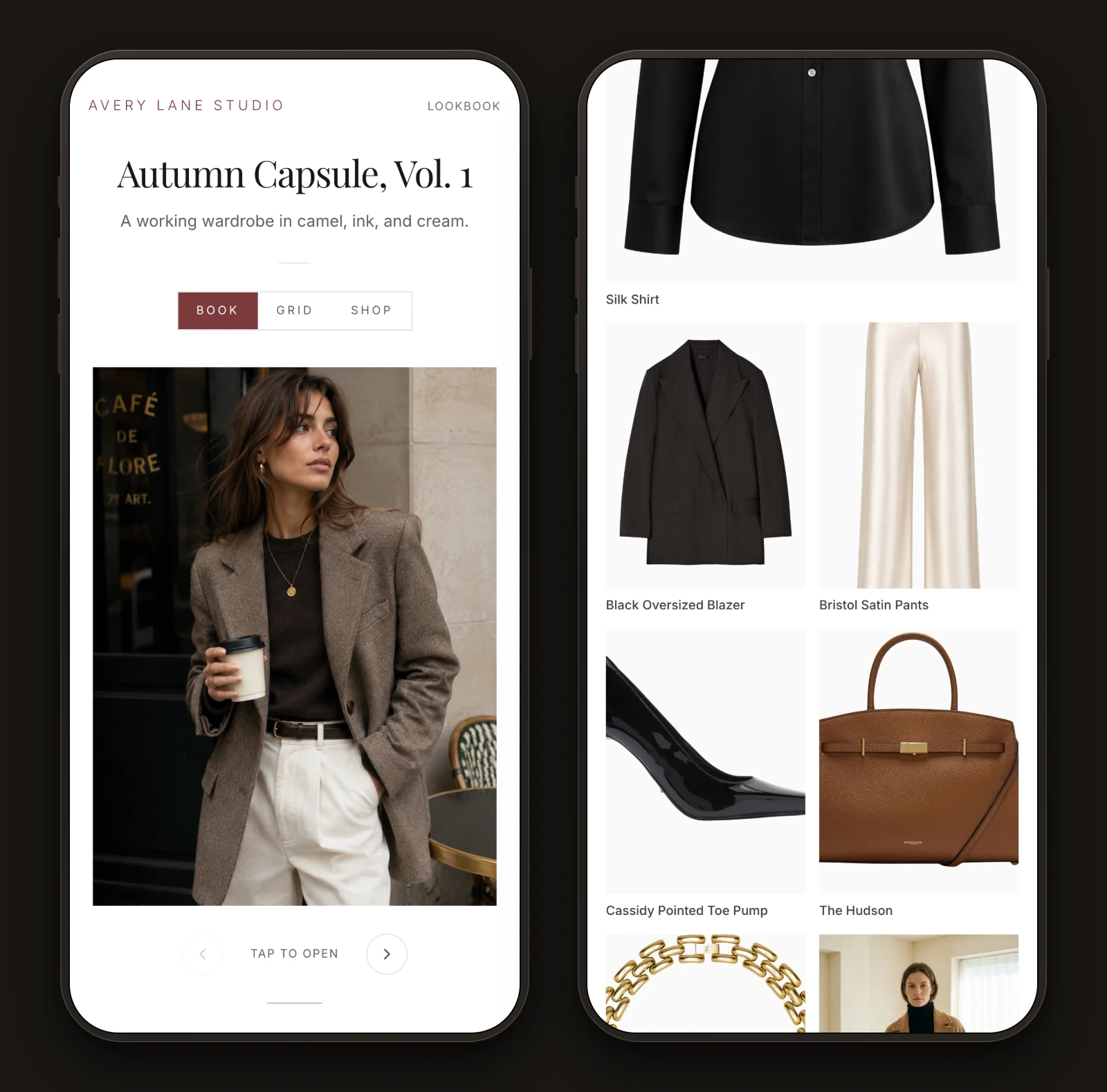
- The lookbook lives on a page in the client’s own studio, under your name and your colors, so there is no attachment to find and no other company on the URL.
- It is built from the client’s actual closet, so pieces already owned can sit next to new suggestions and be labeled as such.
- It is shoppable, and you can edit it after you have sent it when something sells out.
- It sits beside the closet, the trips and the past lookbooks, which is the reason to come back that a portal needs in order to be worth it.
Plans are $49 a month for Starter, $129 for Pro and $239 for the Atelier studio tier, published on the site so you can read them before you talk to anyone. There is also an honest comparison of the stylist platforms, including where the others beat us.
The fair caveat: if you send four lookbooks a year, a good Canva template will serve you better than a subscription will. This is priced for a practice sending them every week.
If you change one thing
Stop sending attachments and start sending a link, whatever tool the link points at. It is the change that costs the least and fixes the most, because everything else on the list becomes possible once the lookbook lives at an address instead of in an inbox.
Methodology: this guide is based on hands-on testing and public information (app store listings, pricing pages, and user reviews) gathered in July and August 2026. Prices and features change; check the app before you buy. Published by Stylement, and yes, we reviewed ourselves too, by the same rules as everyone else.